Admin panel
The admin panel — your NFC card operation, in one place
The NfcPress admin panel is the UV print operator's control room. Manage every order, generate print-ready files, activate NFC chips, and track every card from blank stock to live in-the-field.
The admin panel — live at Glastrix Berlin, processing real orders
Free 30-min demo · No commitment
Order overview and status tracking
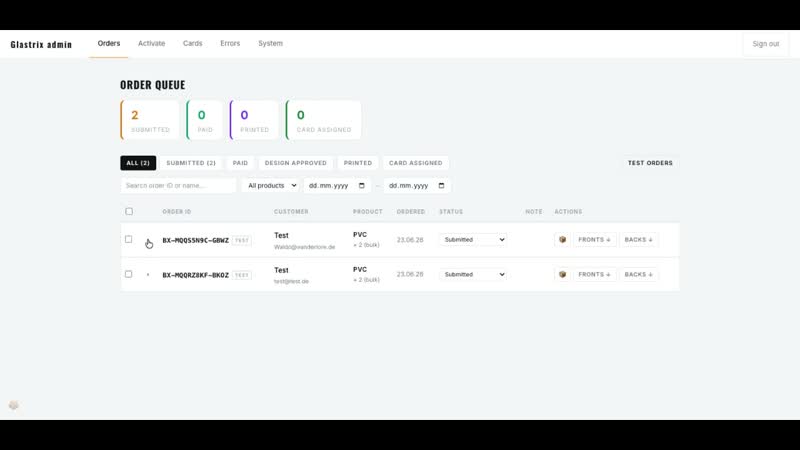
Every inbound order lands in the admin panel with full detail: customer name, email, product, quantity, design files, and redirect URL. Orders move through statuses — pending, paid, in production, shipped — and you control each transition.
The order list filters by status, date range, and product type. When you need to pull up a specific order, it takes two clicks, not a search through a spreadsheet.
Print file generation
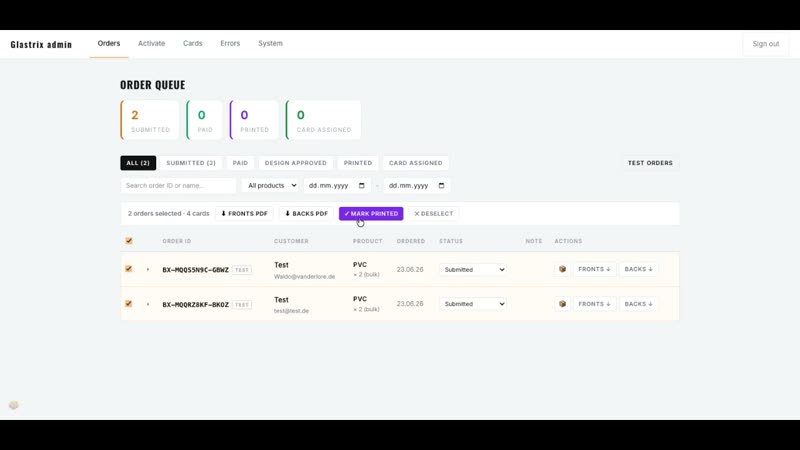
The most time-consuming part of a UV card operation is usually file prep: resizing designs, converting colours, laying out front and back, and checking print specs. NfcPress handles this automatically.
From any order detail screen, hit 'Generate print file'. The platform exports a print-ready PDF to the correct card dimensions (85.6 × 54 mm, CR80), with correct CMYK colour space, correct bleed, and the 1% black minimum for white ink enforced. Send it directly to your printer. No Photoshop required.
NFC chip activation — 60 seconds per card
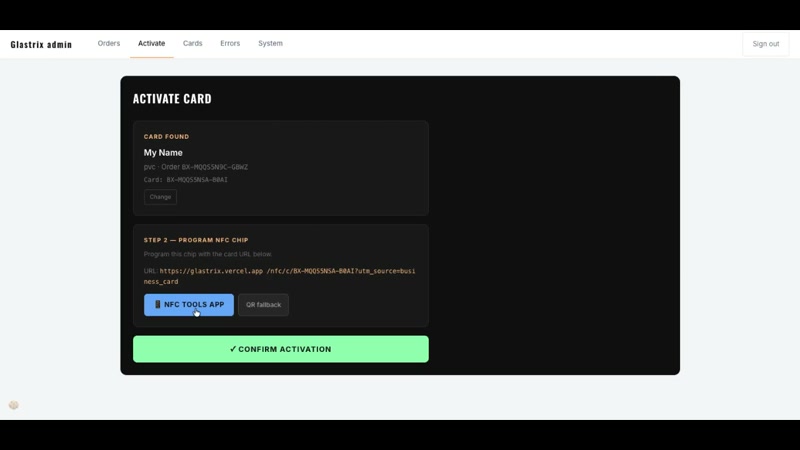
Once cards are printed, open the activation screen for the relevant order. Each blank card has a unique QR code pre-printed on it. Scan the code with your phone or a barcode scanner — the admin panel links that physical card to the digital profile tied to the order.
The NFC chip is now live: tapping the card redirects to the URL the customer specified. If they want to change it later, they do that themselves in their dashboard. You never have to touch the card again.
Card inventory and bulk management
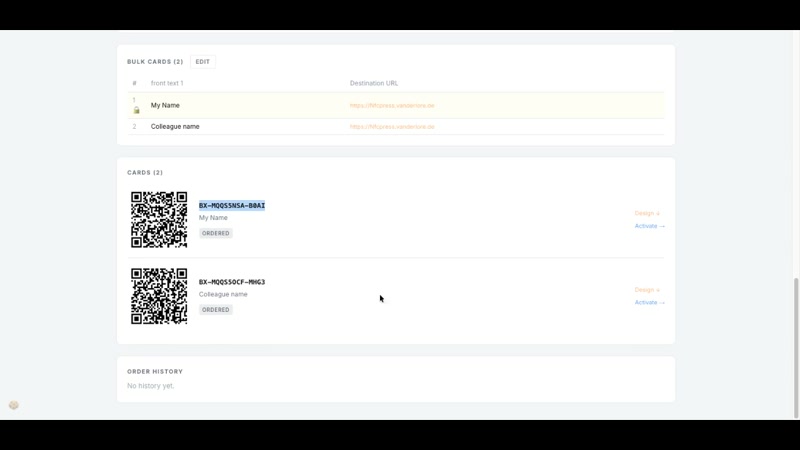
Every activated card appears in the cards list with its code, assigned order, tap count, and current redirect URL. You can filter by test cards (used for internal testing) to keep your reporting clean.
Bulk orders — 10 to 100+ cards from a single CSV upload — are handled on the same activation screen. Each row in the CSV becomes a card record. You activate them in batch: scan, confirm, done.
Ready to get started?
Book a free 30-minute walkthrough and see the admin panel live with your own eyes.
Book a walkthrough →