Order flow
Order processing — from submission to delivery
An NFC card order on the NfcPress platform follows a clear, step-by-step flow. Here is exactly what happens at each stage — from the moment a customer hits submit to the moment their card is live and in their hands.
The NfcPress admin panel — order management, card activation, and print file generation
Free 30-min demo · No commitment
1. The customer places the order
The order form on your branded sales website walks customers through every decision: material (PVC, bamboo, walnut), quantity, redirect URL, design upload (front and back), and shipping address.
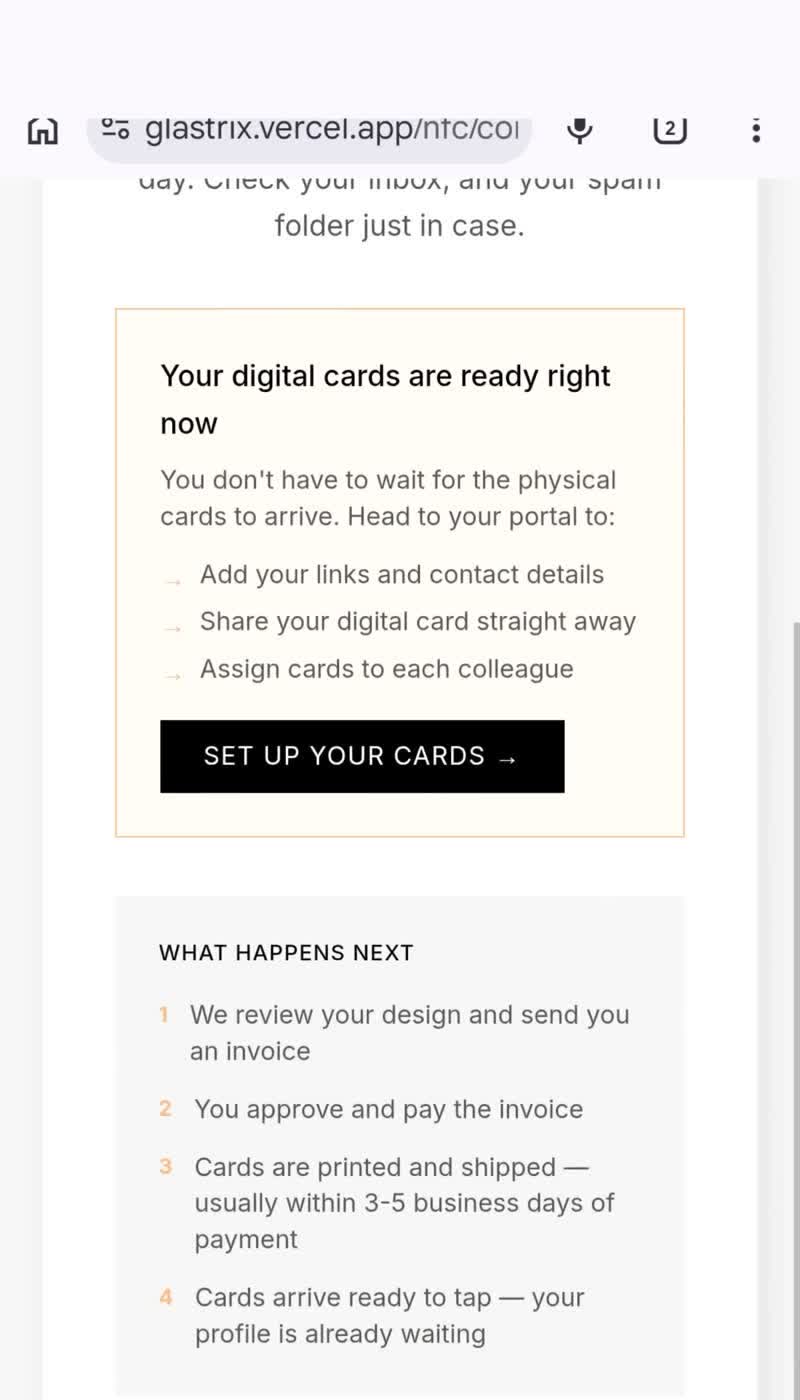
You receive an instant email notification with the full order summary — name, product, quantity, design files, and a direct link to the order in your admin panel. No spreadsheets. No forwarded messages.
2. You send a quote and get paid
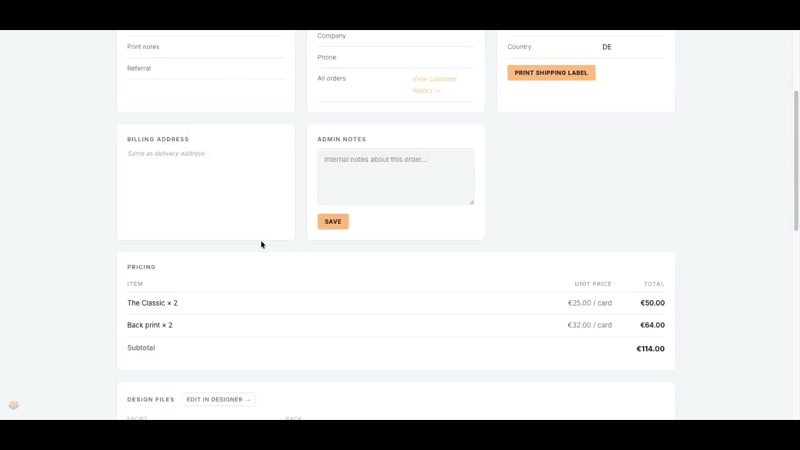
Once you confirm the order looks good, send the customer a payment link. NfcPress does not process payments on your behalf — you use your own invoice tool, bank transfer, or payment link (Stripe, Sumup, whatever you already use).
When payment is confirmed, mark the order as paid in the admin panel. This is the only manual step in the billing flow.
3. Design review and print file generation
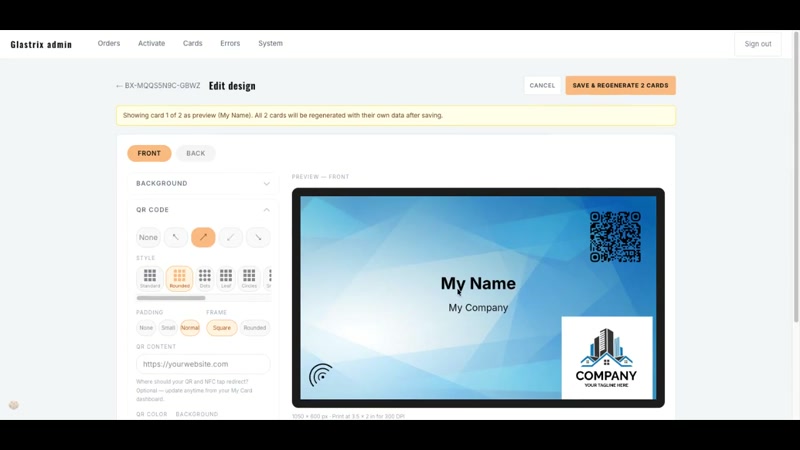
The admin panel shows a preview of the uploaded design and flags anything outside print specs — the 1% black minimum for white ink on white PVC, bleed area, safe zone.
When you are ready to print, generate the batch PDF directly from the order detail screen. It is formatted to your printer's specs — correct card dimensions, correct colour space, front and back in one file.
4. Card activation and shipping
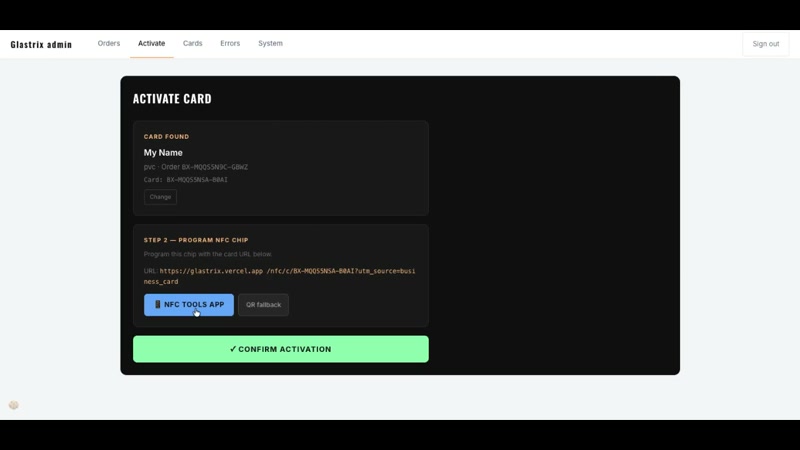
Once the cards come off the printer, open the admin panel, go to the activation screen for this order, and scan the QR code printed on each blank card. This links the physical card to the digital profile. The NFC chip is now live.
Mark the order as shipped. The customer receives an email with their tracking information and a link to their self-serve dashboard. From this point, they manage their card themselves — without contacting you.
Ready to get started?
Book a free 30-minute walkthrough. We will show you the platform live and answer every question.
Book a walkthrough →